FEATURES
PANTONE® Color Matching
ColorBurst X·Proof includes the full licensed PANTONE Color Library. ColorBurst's AutoSpot™ technology greatly improves the accuracy of Pantone colors. All colors are handled automatically during processing—any PANTONE colors in a file are found when the file is ripped.
Full PostScript® Support
ColorBurst X·Proof includes Postscript Language Level 1, 2, and 3 support for PS, EPS, and PDF files. This includes EPS files with JPEG compression and multipage files. Other file formats supported include CMYK, RGB, Lab, 16-bit, and color-mapped TIFF files (including LZW compression), CMYK and RGB JPEG files, and RTL raster files.
Neutral Black and White Prints
With ColorBurst X·Proof, black and white prints look the same under any lighting condition—metamerism is completely eliminated.
Print from Applications
ColorBurst X·Proof allows you to print directly from your image-editing and layout applications, such as InDesign, Photoshop, Illustrator, and Quark XPress. ColorBurst X·Proof can be added as a new printer under Mac OS X and Windows XP, 2000, and 2003. The X·Proof printer can then be selected from your application in the Print dialog.
Hot Folder
X·Proof has a Hot Folder that can be accessed locally or across a network. ColorBurst can automatically scan the Hot Folder at a user-defined interval and can copy remote files to the local disk before processing.
Job Manager
ColorBurst offers Job Management normally only seen in much more expensive RIP applications. Files and folders can be dropped directly into the ColorBurst Job Manager, opened from the ColorBurst File Open menu, placed or saved to the optional Hot Folder, or even dropped on the ColorBurst application icon. Jobs can be reordered, deleted, or placed on hold to be processed later. The ColorBurst Job Manager can be used to create RTL files for reprinting in the future without having to re-RIP them. Dragging RTL files into the Job List will send them to the printer immediately, saving processing time and guaranteeing a perfect match to the first job.
SpectralVision Pro
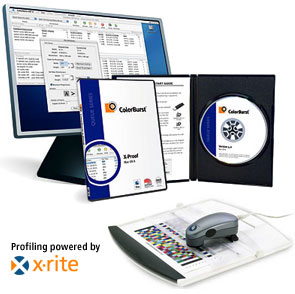
ColorBurst X·Photo and X·Proof are shipped with SpectralVision Pro, a full-featured ICC profiling software package used to create CMYK ICC Profiles and linearization files. SpectralVision Pro can also be used to certify individual prints using ColorBurst's PrintCertification (currently available on Mac OS X only). SpectralVision Pro creates ICC Profiles using X-Rite technology and spectrophotometers. The profiler gives you complete control of the black build, including Black Generation, Black Ink Limiting, and an adjustable Black Ink Curve—features normally found in expensive add-on profiler packages.
Linearization
All versions of ColorBurst come pre-linearized to give customers the best results right out of the box. ColorBurst also includes SpectralVision software to allow you to relinearize your printer. Linearization ensures that your profiles are always accurate. As your machine ages it can always be brought back to its original linear state with ColorBurst and SpectralVision, even if one of your inkjets goes bad or becomes permanently clogged.
Ink Limit
ColorBurst utilizes Total Ink Limit and Black Preservation in pre-configured environments. The Black Preservation feature allows ColorBurst to achieve a deep rich black by not limiting the Black channel in relation to the Total Ink Limit. This feature enables users to get a great black with Epson’s Photo Black cartridge even on Matte and Fine Art papers. ColorBurst users who wish to make their own profiles have total control over their total ink limit and can determine the proper ink limit with the included CSE Media Ink Limit test.
Ink Curves
Controlling each individual ink channel is crucial to getting the best color out of your printer, ink, and media combination. ColorBurst's Ink Curves are pre-configured for each environment. Individual Ink Curve settings are available to create custom ICC profiles or make slight color changes to the existing environment.
Bezier Curves
The Bezier Curves feature in ColorBurst allows users to make edits to their CMYK ink channels either prior to or after creating ICC Profiles. The Photoshop-style bezier curves can have up to 16 different edit points. Each point can be controlled to .1% accuracy. Each individual channel (CMYK) can have a unique curve or one curve can be applied to each channel.
Input Profiles
ColorBurst has separate Input ICC Profile settings for RGB, CMYK, and grayscale images. Any ICC input profile can be utilized with one of 4 different rendering intents. An option to use embedded profiles can be turned on or off. This is a must for any user who is embedding profiles in Photoshop or any other ICC-savvy application.
Output Profiles
ColorBurst not only utilizes CMYK output profiles but we also have included a proofing feature for pre-press workflows. ColorBurst users can simulate any press or other CMYK output device through the Simulation feature. ColorBurst can also guarantee matching across several different devices when users have large jobs they wish to split across several devices. This is an absolute must for pre-press shops and shops that print the same jobs across several output devices.
PrintCertification (currently available for Mac OS X only)
PrintCertification is integrated into ColorBurst and SpectralVision Pro to certify your system and individual prints. PrintCertification targets can be printed from ColorBurst and measured using your spectrophotometer and SpectralVision Pro to certify that your printer is performing within an acceptable range. If you print a PrintCertification target with a print job, the individual print can also be measured and certified. A PrintCertification label can be printed to affix to each certified print.