Monday, October 26, 2009

What makes the ColorMunki special?


Up until now, you had to be a geek if you wanted to calibrate your printer. It would require meticulously measuring several sheets of hundreds and sometimes even thousands, of small color patches, individually, one at a time. Sounds like fun? Well, maybe if you’re generally very very bored. And, the devices used to measure, often cost quite a lot, if they are of any worthwhile quality.

That was until the ColorMunki came to town. The ColorMunki is based on a spectrophotometer, not the cheaper colorimeter variations that are found in cheaper monitor profiling packages, like DataColor’s Spyder range. The difference is, a spectrophotometer can see color, while a colorimeter consists of several, colorblind sensors, that can each only measure one color. From this, a measurement is calculated.

A spectrophotometer is generally accepted as the more precise instrument to measure color, and the one that can be used to profile printers. The fact that X-Rite has put a good quality spectrophotometer in such an affordable package, is almost revolutionary. At least it is bound to make X-Rite’s only real competitor, DataColor pee in their pants. X-Rite wants to own the color calibration market, both ends, the whole range. And they are already well on their way.

The ColorMunki Photo is also different, because it is affordable, and offers a more intelligent approach. With the ColorMunki you first print one piece of paper, with only 50 patches. These are then swiftly measured in a few sweeps, which will take you less than a minute. Based on the first measurement, the ColorMunki software then calculates the second and final print of 50 additional patches, that are then measured. This is called an iterative process. If you want even better precision, you can optimize your paper profiles using more patches, based on your own images. This is good for skintones, black & white images, etc.

It works very well.

Tuesday, September 22, 2009

TECHKON Establishes TECHKON USA


READING, Mass.—TECHKON GmbH announced that it is bringing the “next generation of color measurement tools to town” with the establishment of TECHKON USA. This North American operation will market TECHKON’s SpectroPlate, SpectroDens, and Scanning Spectro-densitometer products. These TECHKON products provide a combination of ergonomics, speed, and accuracy for prepress companies, print houses, and print buyers worldwide.

Constructed without any moving mechanical parts, TECHKON products share a hand-friendly design that can be maneuvered over the color target and activated with a button—all in one fluid motion. All products feature TECHKON’s spectral sensors, optical system, and image processing algorithms, which provide a measurement speed of one second.

“Efficiency and productivity are where the rubber meets the road in our increasingly competitive printing industry,” commented George Adam , TECHKON USA president and former founder of Monaco Systems. “The establishment of TECHKON’s North American operation represents a significant advance in our ability to address one of the printing industry’s most pressing concerns: a rising worldwide demand for faster, easier, and more accurate measurement tools capable of boosting productivity by maximizing on-press time.”

TECHKON’s SpectroDens provides quality control at the press through the automatic measurement of densities, dot gains, and spot colors in order to ensure consistent print-to-print color, while Techkon SpectroPlate offers dot analysis and measurement of traditional or process-less printing plates.

Monday, July 27, 2009

Colormunki Photo Review


Why does my photo look fine on the screen, but the colors are all wrong when I print it? The moment you ask that question (even to yourself), you have crossed over into the Twilight Zone known as colorspace management.

In a nutshell, the colors your camera sees may be more or less than what your computer can see/process which may be more or less than what your printer can print. Simple, right?

Without going into a full blown discussion of this topic, I will go so far as to say that once you have come to this bump in the road, it’s time to go shopping for a colorimeter ( colormunki photo ).

A colorimeter is a device that measures the color output of your display (and in some cases, printers) and produces a color profile that is then installed in your computer’s operating system (Windows and Mac both support this) where colorspace-aware applications (like Photoshop) can then accurately map the colors from one device to the next making sure that what you see is truly what you get.

Friday, July 24, 2009

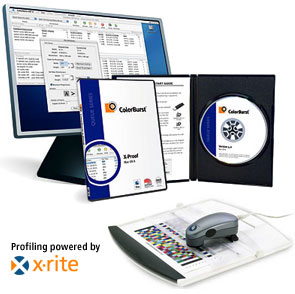
ColorBurst X-Proof


FEATURES

PANTONE® Color Matching
ColorBurst X·Proof includes the full licensed PANTONE Color Library. ColorBurst's AutoSpot™ technology greatly improves the accuracy of Pantone colors. All colors are handled automatically during processing—any PANTONE colors in a file are found when the file is ripped.

Full PostScript® Support
ColorBurst X·Proof includes Postscript Language Level 1, 2, and 3 support for PS, EPS, and PDF files. This includes EPS files with JPEG compression and multipage files. Other file formats supported include CMYK, RGB, Lab, 16-bit, and color-mapped TIFF files (including LZW compression), CMYK and RGB JPEG files, and RTL raster files.

Neutral Black and White Prints
With ColorBurst X·Proof, black and white prints look the same under any lighting condition—metamerism is completely eliminated.

Print from Applications
ColorBurst X·Proof allows you to print directly from your image-editing and layout applications, such as InDesign, Photoshop, Illustrator, and Quark XPress. ColorBurst X·Proof can be added as a new printer under Mac OS X and Windows XP, 2000, and 2003. The X·Proof printer can then be selected from your application in the Print dialog.

Hot Folder
X·Proof has a Hot Folder that can be accessed locally or across a network. ColorBurst can automatically scan the Hot Folder at a user-defined interval and can copy remote files to the local disk before processing.

Job Manager
ColorBurst offers Job Management normally only seen in much more expensive RIP applications. Files and folders can be dropped directly into the ColorBurst Job Manager, opened from the ColorBurst File Open menu, placed or saved to the optional Hot Folder, or even dropped on the ColorBurst application icon. Jobs can be reordered, deleted, or placed on hold to be processed later. The ColorBurst Job Manager can be used to create RTL files for reprinting in the future without having to re-RIP them. Dragging RTL files into the Job List will send them to the printer immediately, saving processing time and guaranteeing a perfect match to the first job.

SpectralVision Pro
ColorBurst X·Photo and X·Proof are shipped with SpectralVision Pro, a full-featured ICC profiling software package used to create CMYK ICC Profiles and linearization files. SpectralVision Pro can also be used to certify individual prints using ColorBurst's PrintCertification (currently available on Mac OS X only). SpectralVision Pro creates ICC Profiles using X-Rite technology and spectrophotometers. The profiler gives you complete control of the black build, including Black Generation, Black Ink Limiting, and an adjustable Black Ink Curve—features normally found in expensive add-on profiler packages.

Linearization
All versions of ColorBurst come pre-linearized to give customers the best results right out of the box. ColorBurst also includes SpectralVision software to allow you to relinearize your printer. Linearization ensures that your profiles are always accurate. As your machine ages it can always be brought back to its original linear state with ColorBurst and SpectralVision, even if one of your inkjets goes bad or becomes permanently clogged.

Ink Limit
ColorBurst utilizes Total Ink Limit and Black Preservation in pre-configured environments. The Black Preservation feature allows ColorBurst to achieve a deep rich black by not limiting the Black channel in relation to the Total Ink Limit. This feature enables users to get a great black with Epson’s Photo Black cartridge even on Matte and Fine Art papers. ColorBurst users who wish to make their own profiles have total control over their total ink limit and can determine the proper ink limit with the included CSE Media Ink Limit test.

Ink Curves
Controlling each individual ink channel is crucial to getting the best color out of your printer, ink, and media combination. ColorBurst's Ink Curves are pre-configured for each environment. Individual Ink Curve settings are available to create custom ICC profiles or make slight color changes to the existing environment.

Bezier Curves
The Bezier Curves feature in ColorBurst allows users to make edits to their CMYK ink channels either prior to or after creating ICC Profiles. The Photoshop-style bezier curves can have up to 16 different edit points. Each point can be controlled to .1% accuracy. Each individual channel (CMYK) can have a unique curve or one curve can be applied to each channel.

Input Profiles
ColorBurst has separate Input ICC Profile settings for RGB, CMYK, and grayscale images. Any ICC input profile can be utilized with one of 4 different rendering intents. An option to use embedded profiles can be turned on or off. This is a must for any user who is embedding profiles in Photoshop or any other ICC-savvy application.

Output Profiles
ColorBurst not only utilizes CMYK output profiles but we also have included a proofing feature for pre-press workflows. ColorBurst users can simulate any press or other CMYK output device through the Simulation feature. ColorBurst can also guarantee matching across several different devices when users have large jobs they wish to split across several devices. This is an absolute must for pre-press shops and shops that print the same jobs across several output devices.

PrintCertification (currently available for Mac OS X only)
PrintCertification is integrated into ColorBurst and SpectralVision Pro to certify your system and individual prints. PrintCertification targets can be printed from ColorBurst and measured using your spectrophotometer and SpectralVision Pro to certify that your printer is performing within an acceptable range. If you print a PrintCertification target with a print job, the individual print can also be measured and certified. A PrintCertification label can be printed to affix to each certified print.
Tuesday, July 21, 2009

GMG ColorProof o5


GMG ColorProof o5 is a completely revised version of the company's highly successful and multiple award winning proofing software GMG ColorProof o4. It is well-known for the provision of best possible quality and color accuracy when producing contract proofs. Spurred on by this success, GMG ColorProof o5 has now been developped.

Functions and advantages at a glance

The new, intuitive user interface makes Proofing easier than ever
All important functions are arranged in logical groups and recognizable at a glance. 75% of the typical tasks can now be directly handled when files are selected for proofing. Every job is displayed on the user interface and can be treated.

Total quality assurance thanks to the Proof Standard technology and calibration sets
The predefined GMG Proof Standards and the calibration sets enhance production reliability and cost savings. The user now only has to select the appropriate Proof Standard. The rest is handled automatically by GMG ColorProof o5. A Proof Standard defines all parameters necessary for correct, color accurate proofs:

• the printing standard to be simulated (ISO, SWOP, in-house standard, etc.), • the corresponding GMG color profile (MX4) or ICC profile, • the medium used for proofing, • the printer used for printing, • the calibration set used.

The calibration sets include among other things all calibration files (MX3) for the different measuring instruments, necessary printer settings, quality criteria and tolerances for printer calibration.

The software selects automatically the profile and calibration for a certain printer including the appropriate paper. If the parameters do not match the actual settings, the job is automatically stopped for checking. Therefore, possible sources of error, such as incorrect printing settings, calibration files or color profiles, are reduced dramatically.

Filter rules for automated production
Filter rules enable various workflows with different processing steps to be assigned to one hotfolder. The user can put all files in one single hotfolder - GMG ColorProof o5 automatically handles the correct further processing.

Other new features in GMG ColorProof o5 are e.g.:

Remote Proofing - Softproofing - Load Balancing - Optimized combined form function

Wednesday, July 1, 2009

PANTONE Essentials

This Pantone Essentials video contains the six essential Pantone Matching System Guides to ensure accurate color specification and communication. This video includes the PANTONE GoeGuide Coated, Formula Guide-Uncoated, Formula Guide-Matte, the Color Bridge-Coated, Four Color Process Guide-Coated, and Four Color Process Guide-Uncoated.

Tuesday, May 19, 2009

EFI Colorproof XF v4.0


Client/Server Basic Package version 4.0 - XF Server + unlimited number of clients + Spot Color + Printer Option M.

EFI Colorproof™ XF delivers a versatile solution for proofing, large-format production and photographic printing that combines the company’s latest color technology with industry-standard off-the-shelf hardware. The solution offers fast, flexible workflow, power, and expandability and affordability. The basic package starts with the EFI™ Colorproof XF Server, an unlimited numbers of Client Options and Printer Option M. By adding extra output and product options, the solution meets growing businesses needs. EFI Colorproof XF or efi rip caters to digital, commercial and hybrid printers, prepress providers, publishers, creative agencies and photographers.

The main proofing and printing operations take place on the EFI Colorproof XF Server. The following key functions come as standard, so that even the basic configuration opens up new business opportunities:

• Multiple format support - PostScript, PDF, JPEG, TIFF/IT, TIFF, Scitex CT/LW, Delta list and DCS files.

• Adobe CPSI interpreter - for key functionality such as overprinting, in-RIP separation and font download for Japanese fonts.

• Standards-compliant - ICC, PDF/X and JDF.

• Contains the Fogra/Ugra media control strip v2.0a.

• Continuous tone proofing functionality based on ICC color management - the accepted international standard.

• Three-profile color management - for proofing and color conversions.

• Integrated LinTool - for measurement-based printer linearization.

• Supports multi channel and individual device link profiles.

• Multi processor support.